
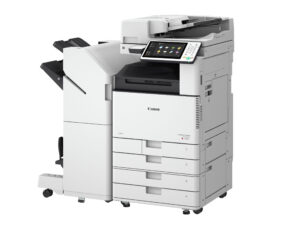
When to replace a photocopier is a hard question for many offices. Repairing an old machine feels cheaper, until repairs, delays and bad copies add up. Replacing too early wastes money, but replacing too late wastes time and patience.
This guide explains when to replace a photocopier through seven clear signs. It also shows how to upgrade without overspending.Table of contents
- When to replace a photocopier: the simple rule
- Sign 1: Repairs keep coming back
- Sign 2: The machine is too slow
- Sign 3: Copy quality is poor
- Sign 4: Parts and toner are hard to find
- Sign 5: Your needs have grown
- Sign 6: Missing modern features
- Sign 7: Running costs keep rising
- Repair or replace: how to decide
- Upgrade options
- Quick checklist
- FAQs
When to Replace a Photocopier: The Simple Rule
A useful rule is this: replace the machine when it costs more to keep than to change. That cost includes repairs, lost staff time and poor output.If your machine still works well and supports your team, keep it. If it keeps failing, the signs below will tell you.Sign 1: Repairs Keep Coming Back
One repair is normal. Repeated repairs for the same problems are a warning. When you call a technician again and again, downtime is already costing you.Ask for a clear report each time. It helps you decide when to replace a photocopier with facts, not guesses. Our post on photocopier maintenance explains what regular care should include.Sign 2: The Machine Is Too Slow
A slow machine creates queues. If staff wait for pages during busy hours, productivity suffers.Compare your needs with modern speeds. For example, the Canon imageRUNNER ADVANCE C5535i prints up to 35 ppm in A4, and the Kyocera TASKalfa 4053ci up to 40 ppm.Sign 3: Copy Quality Is Poor
Streaks, faded pages and blurry text hurt your image, especially when clients see your documents. Cleaning and new toner solve some of these problems, but not all.If quality stays poor after servicing, the machine may be wearing out. Read our guide on photocopier toner before you decide.Sign 4: Parts and Toner Are Hard to Find
Older models can become hard to support. If toner or spare parts take weeks to arrive, your office stops while it waits.Alpha Care IT supplies toner and spare parts, so ask us whether your model is still easy to support. This is a key point in deciding when to replace a photocopier.Sign 5: Your Needs Have Grown
Teams change. A small office may become a busy one, or a school may add classes. A machine that suited ten people may struggle with thirty.If you now need A3, colour, scanning or higher volume, an upgrade may serve you better than another repair.Sign 6: Missing Modern Features
Newer machines print, copy and scan in one unit and offer scan to email, automatic duplex and touchscreens. These features save time and paper every day.You can read a simple overview of how these machines work in this guide to the photocopier. A modern multifunction can also help you move towards a paperless workflow.Sign 7: Running Costs Keep Rising
Add up repairs, toner, paper waste and staff time. If the total keeps climbing, a newer machine may cost less each month.Our tips on how to reduce printing costs can help you spot hidden costs. Knowing the numbers makes it easier to decide when to replace a photocopier.Repair or Replace: How to Decide
Use this simple table for your repair vs replace decision.| Situation | Suggested action |
|---|---|
| One-off fault, machine otherwise fine | Repair |
| Same fault returns again and again | Consider replacing |
| Parts or toner hard to get | Replace |
| Needs have grown | Upgrade |
| Cost of repairs close to a newer machine | Replace |
Upgrade Options
Replacing does not always mean buying new. You have three routes.- Buy new for the latest features.
- Buy a refurbished photocopier to lower the upfront cost. Ask about condition, inspection and support.
- Rent to spread the cost or cover a short project.
Quick Checklist
- Count repairs in the last year.
- Check speed against your daily volume.
- Look at copy quality.
- Ask about parts and toner supply.
- Review your current needs.
- Add up running costs.
- Compare new, refurbished and rental options.
FAQs
How do I know when to replace a photocopier? Watch for repeat repairs, slow speed, poor quality and hard-to-find parts.Is repairing always cheaper? Not always. Frequent repairs and downtime can cost more than an upgrade.Can I upgrade to a refurbished machine? Yes. Ask about condition, inspection and support first.Does Alpha Care IT install new machines in the UAE? Yes, we provide installation across the UAE, technical support, and toner and spare parts.Plan Your Upgrade with Alpha Care IT
Not sure when to replace a photocopier in your office? Tell us the model and the problems, and we will advise honestly.- WhatsApp: +971 55 757 2423
- Website: www.alphacareit.com
- Email: info@alphacareit.com