
10 Essential Printer Security Tips to Protect Business Documents
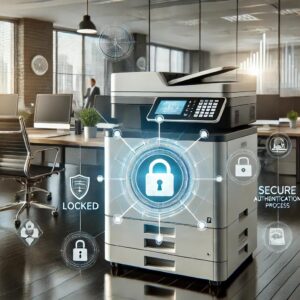
Printers and multifunction photocopiers are an important part of modern business operations. Employees use them every day to print contracts, invoices, financial documents, customer information, employee records, and other confidential materials. However, printers are often overlooked when businesses think about cybersecurity and information protection. Implementing proper printer security measures can help businesses reduce risks and protect sensitive documents.
Modern office printers are no longer simple devices that only print paper. Many multifunction printers can connect to company networks, store information temporarily, scan documents, and communicate with computers and cloud services. This means they should be managed with the same level of attention given to other office technology.
For businesses in the UAE, adopting secure printing solutions UAE companies can rely on is an important part of creating a safer and more controlled document environment.
In this blog, we explore ten essential ways businesses can improve printer security and protect confidential information.
1. Use Secure Print Release
One of the simplest ways to protect printed documents is to use secure print release.
Without secure printing, an employee may send a confidential document to the printer and leave it sitting in the output tray. Anyone passing by could potentially see or collect it.
Secure print release allows users to authenticate themselves before the document is printed.
Depending on the printer, authentication may use:
- PIN codes
- Passwords
- ID cards
- Access cards
- User accounts
This ensures that sensitive documents are released only when the authorised employee is physically present at the printer.
For businesses looking for printer security Dubai solutions, secure print release can be an effective feature to consider.
2. Change Default Passwords
Many network-connected printers have administrator accounts and passwords.
Businesses should avoid leaving default login credentials unchanged.
Default passwords may be easier for unauthorised users to discover, particularly if the printer is connected to the company network.
IT administrators should:
- Change default passwords
- Use strong passwords
- Restrict administrator access
- Update passwords when necessary
This simple step can improve business printer security and reduce the risk of unauthorised access.
3. Keep Printer Firmware Updated
Printer manufacturers regularly release firmware updates.
These updates may include:
- Security improvements
- Bug fixes
- Performance improvements
- Compatibility updates
Businesses should regularly check whether firmware updates are available for their printers and multifunction devices.
Keeping equipment updated is an important part of maintaining printer security.
IT teams should follow the manufacturer’s recommendations when installing updates to ensure that the equipment continues to operate correctly.
4. Protect Your Office Network
Network-connected printers communicate with computers and other devices.
If a printer is poorly configured, it may create unnecessary security risks.
Businesses should ensure that printers are connected securely to the company network.
Depending on the IT environment, organisations may consider:
- Network segmentation
- Firewall protection
- Access restrictions
- Secure network protocols
- Monitoring of connected devices
IT professionals can help businesses configure network-connected printers appropriately.
This is particularly important for larger organisations with multiple printers across different departments.
5. Control Who Can Access the Printer
Not every employee needs access to every printer.
Businesses can improve secure office printing by creating user access policies.
For example:
- Finance employees may access a secure finance printer.
- HR employees may use a printer for confidential employee documents.
- General employees may use shared office printers.
Access control can help reduce the risk of sensitive documents being printed on machines that are accessible to unauthorised users.
Businesses should review printer access regularly and remove access for employees who no longer require it.
6. Secure Scanned Documents
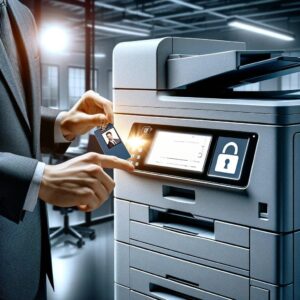
Multifunction printers do more than print.
Many devices can scan documents and send them to:
- Email addresses
- Network folders
- Cloud storage
- Document management systems
Businesses should ensure that scanned documents are sent only to authorised destinations.
Employees should double-check email addresses before sending confidential documents.
Companies should also establish clear policies for storing scanned files and controlling access to them.
A secure scanning process is an important part of overall printer security.
7. Protect Confidential Documents from the Output Tray
Even with secure technology, employees should develop good printing habits.
Confidential documents should not be left unattended near printers.
Businesses can encourage employees to:
- Collect documents immediately
- Use secure print release
- Avoid printing sensitive information unnecessarily
- Shred confidential documents that are no longer required
A simple “clean printer area” policy can help reduce the risk of confidential information being seen by unauthorised people.
8. Secure Printer Hard Drives and Storage
Some multifunction printers may temporarily store information as part of their normal operation.
Businesses should understand what information their printers store and how that information is protected.
When disposing of or replacing a printer, organisations should consider:
- Data deletion
- Storage device security
- Factory reset procedures
- Manufacturer recommendations
Businesses handling highly sensitive information should discuss data security requirements with their IT team and equipment supplier.
Properly managing stored information is an important aspect of business printer security.
9. Train Employees About Secure Printing
Technology alone cannot protect confidential documents.
Employees should understand how to use printers securely.
Training can cover:
- Secure print release
- Password protection
- Confidential document handling
- Safe scanning
- Proper disposal of documents
- Reporting suspicious printer activity
Employees should also understand that printers are part of the company’s overall technology environment.
Regular awareness training can help create a stronger security culture throughout the organisation.
10. Choose a Reliable Printer Supplier
Choosing the right equipment supplier can also support your security strategy.
A professional supplier can help businesses understand:
- Printer security features
- Secure printing options
- User authentication
- Network connectivity
- Maintenance requirements
- Equipment configuration
When selecting secure printing solutions UAE businesses should consider, companies should look beyond the initial equipment price.
The right printer should provide the features and support needed to meet the organisation’s operational and security requirements.
Why Printer Security Matters for Modern Businesses
Businesses handle sensitive information every day.
This may include:
- Customer information
- Financial documents
- Employee records
- Contracts
- Business proposals
- Internal reports
A confidential document does not become less sensitive simply because it is printed on paper.
By improving printer security, businesses can reduce the risk of confidential information being exposed through careless printing, unsecured devices, or poor document handling.
Security should therefore be considered when purchasing new printers, refurbished equipment, or multifunction photocopiers.
New and Refurbished Printers: What About Security?
Businesses often consider both new and professionally refurbished equipment.
New printers may offer the latest security technologies and features.
Professionally refurbished business printers can also be suitable for many organisations, provided that they are properly inspected, configured, and maintained.
When choosing a refurbished printer, businesses should ask about:
- Device condition
- Security configuration
- Firmware updates
- Data storage
- Network settings
- Maintenance history
A reliable supplier should be able to explain the equipment’s condition and help configure it appropriately for the business environment.
How Alpha Care IT Can Help
Alpha Care IT understands that businesses need reliable office technology that supports productivity and document management.
Whether you need a new printer, refurbished machine, multifunction photocopier, or rental solution, it is important to consider how the equipment will fit into your office environment.
Businesses can evaluate their requirements based on:
- Number of users
- Printing volume
- Document sensitivity
- Network environment
- Colour or black-and-white printing
- A3 or A4 requirements
- Scanning requirements
If your business is looking for printer security Dubai solutions, choosing the right equipment and implementing appropriate security practices can help create a safer printing environment.
Alpha Care IT can help businesses explore office printing equipment and related services based on their operational requirements.
Final Thoughts
Printers and multifunction photocopiers are an important part of modern business technology, but they should not be overlooked when considering information security.
By implementing secure print release, changing default passwords, updating firmware, protecting the network, controlling user access, securing scanned documents, and training employees, businesses can improve their overall document security.
Companies should also consider security when purchasing new or refurbished equipment.
The right combination of technology, employee awareness, and clear security policies can help businesses protect confidential documents while maintaining efficient office workflows.
For organisations looking for secure printing solutions UAE businesses can implement, printer security should be considered as part of a broader approach to protecting company information.
A secure printing environment does not have to be complicated. With the right equipment and responsible printing practices, businesses can take practical steps toward protecting sensitive information every day.