Photocopier toner
is the powder that creates every page you print and copy, and it is one of the biggest running costs in any office. Buying the wrong toner, or buying it too late, can cost you time, money and print quality.This guide gives you eight easy tips to choose, store and use photocopier toner wisely. It is written for offices, schools and clinics across Dubai and the UAE.
Table of contents
- What photocopier toner is and why it matters
- Tip 1: Match the toner to your exact model
- Tip 2: Understand original vs compatible toner
- Tip 3: Plan your stock
- Tip 4: Store toner correctly
- Tip 5: Handle toner carefully
- Tip 6: Watch for early warning signs
- Tip 7: Think about spare parts too
- Tip 8: Recycle used cartridges
- Common photocopier toner mistakes
- FAQs
What Photocopier Toner Is and Why It Matters
Toner is a fine powder that a copier fuses onto paper using heat. You can read a simple overview of how it works in this guide to
toner in printing.Good photocopier toner gives sharp text and even colour. Poor toner can cause faint copies, streaks and extra service calls. That is why choosing it carefully pays off.
Tip 1: Match the Toner to Your Exact Model
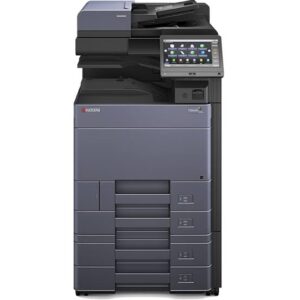
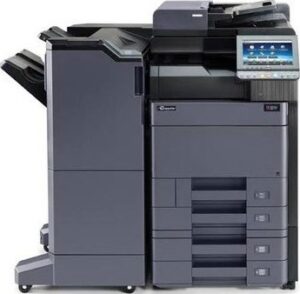
Every machine uses specific toner. A Canon imageRUNNER ADVANCE C5535i, a Kyocera TASKalfa 2553ci and an HP LaserJet MFP M442dn each need their own cartridges.Check the model name on the front of your machine before ordering. If you are unsure, send us a photo on WhatsApp and we will confirm the right
toner cartridge for your photocopier.
Tip 2: Understand Original vs Compatible Toner
Buyers often ask about
original vs compatible toner. Original toner is made by the machine maker. Compatible toner comes from other makers and is usually priced lower.Each option has trade-offs. Before you decide, ask about print quality, page yield and how the choice may affect any warranty or service agreement. Always confirm the terms in writing.

Tip 3: Plan Your Stock
Running out of toner in the middle of a busy day is expensive. Rushed orders and downtime hurt your team.Keep one spare set of toner for each machine. Reorder when you open the spare, not when the last one runs out. This simple rule keeps your photocopier toner supply steady without tying up too much cash.
Tip 4: Store Toner Correctly
Poor storage wastes good toner. Follow these basics:
- Keep cartridges in their original packaging until use.
- Store them flat in a cool, dry place away from direct sun.
- Avoid damp rooms and very hot storage areas.
- Do not stack heavy items on top of boxes.
Dubai summers are hot, so choose an air-conditioned storeroom whenever possible.
Tip 5: Handle Toner Carefully
Toner powder can make a mess. Open the packaging only when you are ready to install it.Follow the instructions that come with the cartridge. Gently rock a new cartridge only if the maker recommends it, and avoid touching the drum or contacts. If toner spills, clean it with a dry cloth or a suitable vacuum rather than a wet cloth.
Tip 6: Watch for Early Warning Signs
Your machine often warns you before toner is empty. Look out for:
- Faded or patchy copies.
- Thin lines or streaks across the page.
- A low-toner message on the screen.
If quality drops right after a new cartridge, the issue may be something else, such as a worn part. Ask a technician to check rather than replacing toner again and again.
Tip 7: Think About Spare Parts Too
Toner is only one consumable. Drums, rollers and other
photocopier spare parts wear out over time and affect quality.Ordering toner and spare parts from one trusted supplier saves time. Alpha Care IT supplies
toner and spare parts in Dubai alongside machines, rental and technical support, so one call covers it all.

Tip 8: Recycle Used Cartridges
Do not throw empty cartridges in the general bin. Ask your supplier about return or recycling options, and keep them away from children.You can read general guidance on reusing and recycling electronics and supplies from the
US EPA recycling pages. For UAE-specific rules, check with your local authority.
Common Photocopier Toner Mistakes
Even careful offices slip up. These are the mistakes we see most often with photocopier toner:
- Ordering by guesswork instead of checking the model name.
- Buying only on price and ignoring page yield and support.
- Leaving cartridges in a hot car or an unventilated storeroom.
- Ignoring faded copies until a client notices.
- Mixing up cartridges for different machines in one cupboard.
A short label on each shelf, listing the machine and its toner, prevents most of these problems. Share the list with whoever orders supplies so the whole team stays consistent.
Quick Checklist for Photocopier Toner
- Confirm your exact machine model.
- Choose original or compatible toner with your eyes open.
- Keep one spare set in stock.
- Store in a cool, dry place.
- Handle gently and clean spills dry.
- Watch for fading and streaks.
- Include drums and parts in your plan.
- Recycle empty cartridges.
If you also want to cut running costs, read our tips on
how to reduce printing costs.
FAQs
How do I know which photocopier toner I need? Check the model name on your machine, or send us a photo and we will confirm.
Does Alpha Care IT supply toner and spare parts? Yes, we supply toner and spare parts alongside machine sales, rental and technical support across the UAE.
How should I store photocopier toner in Dubai? Keep it in its packaging, flat, in a cool and dry room away from direct sun.
Can I mix different toner brands in one machine? Use the toner recommended for your model, and ask a technician before switching between original and compatible types.
Get Photocopier Toner from Alpha Care IT
Need toner or spare parts for your machine? Tell us the model and we will help you right away.

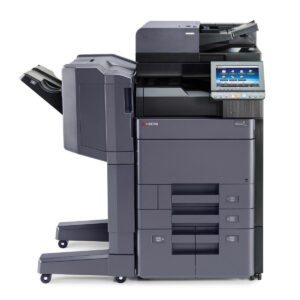 Photocopier toner is the powder that creates every page you print and copy, and it is one of the biggest running costs in any office. Buying the wrong toner, or buying it too late, can cost you time, money and print quality.This guide gives you eight easy tips to choose, store and use photocopier toner wisely. It is written for offices, schools and clinics across Dubai and the UAE.