
Paperless office Dubai teams are becoming common, and for good reason. Paper takes space, costs money and slows down searching. When your documents live on a screen, you find them faster, share them easily and spend less on printing.
This guide shares eight easy steps to build a paperless office Dubai businesses, clinics and schools can follow. You do not need to go fully paperless on day one. A steady plan works best.
Table of contents
- What a paperless office Dubai really means
- Step 1: Decide what to digitise first
- Step 2: Use a multifunction machine to scan
- Step 3: Set up scan to email
- Step 4: Choose a simple folder system
- Step 5: Back up your files
- Step 6: Share and sign on screen
- Step 7: Print only when needed
- Step 8: Train your team
- Common mistakes
- Quick checklist
- FAQs
What a Paperless Office Dubai Really Means
A paperless office does not mean no paper at all. It means you scan, store and share documents digitally, and print only what you truly need.
You can read a short overview in this guide to the paperless office. The UAE has also moved many public services online, as the official UAE government portal shows, so digital habits fit well with how the country works.
Step 1: Decide What to Digitise First
Do not scan everything at once. Start with the papers you use most, such as invoices, contracts, forms and reports.
Old archive boxes can wait. A clear order keeps the project small and gives quick wins in the first month.
Step 2: Use a Multifunction Machine to Scan
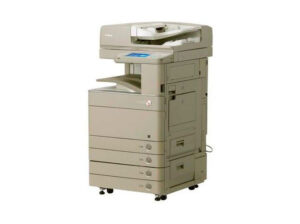
Good document scanning needs a reliable scanner. A multifunction photocopier prints, copies and scans in one unit, so it can be the heart of your paperless office Dubai plan.
Machines such as the Canon imageRUNNER ADVANCE C5535i and the Kyocera TASKalfa 2553ci handle print, copy and scan. Our guide to choosing the right photocopier helps you pick one.
Step 3: Set Up Scan to Email
Scan to email sends a scanned page straight to an inbox. It saves walking, saves paper and keeps a record.
Ask your supplier to set it up during installation. Alpha Care IT provides installation across the UAE, so your team can start scanning on day one.
Step 4: Choose a Simple Folder System
Scanning only helps if you can find the files later. Choose one clear folder layout and use it everywhere.
- Sort by year, then by client or department.
- Name files the same way, such as date, client and document type.
- Keep one shared folder for the whole team.
A paperless office Dubai managers trust always has tidy, searchable files.
Step 5: Back Up Your Files
Digital files need protection. Keep at least two copies, such as your office server and a cloud service you trust.
Check backups from time to time by opening a few files. A good habit prevents painful surprises. Good digital document storage is as important as the scanner.
Step 6: Share and Sign on Screen
Send documents by email or a shared link instead of printing and delivering them. Many contracts and approvals can be signed on screen, depending on the rules that apply to your business.
Check legal requirements with your adviser before you move a sensitive process online. This guide is general information only.
Step 7: Print Only When Needed
A paperless office Dubai teams run well still prints sometimes. When you do, set defaults that reduce paper use.
- Make double-sided printing the default.
- Use black and white unless colour is needed.
- Use print preview to catch blank pages.
See our tips on how to reduce printing costs for more ideas.
Step 8: Train Your Team
Tools only work when people use them. Show your team how to scan to email, name files and find documents.
A short session of fifteen minutes is often enough. Share a one-page guide near the machine so new staff can follow the same steps.
Common Mistakes
Many offices struggle when they try to go paperless. Avoid these problems.
- Scanning everything at once and losing track.
- Having no folder naming rules.
- Forgetting to back up files.
- Not training the team.
Quick Checklist for a Paperless Office Dubai
- Choose the first documents to digitise.
- Use a multifunction machine for scanning.
- Set up scan to email.
- Agree a folder and naming system.
- Back up your files.
- Set print defaults that save paper.
- Train your team.
FAQs
Can a Dubai office really become paperless? Most offices cut paper a lot, even if a few printed documents remain.
Do I need special equipment? A multifunction machine that scans, plus a clear folder system, is a good start.
Can Alpha Care IT set up scan to email? Yes, we provide installation, technical support, toner and spare parts across the UAE.
Can I rent a scanning machine? Yes. Alpha Care IT offers sale, purchase and rental.
Start Your Paperless Office Dubai with Alpha Care IT
Tell us how your team works and we will suggest a suitable machine, with installation and support.
- WhatsApp: +971 55 757 2423
- Website: www.alphacareit.com
- Email: info@alphacareit.com