
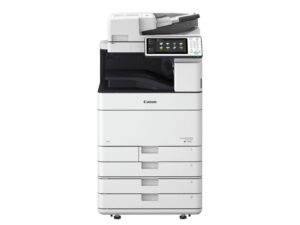
Energy efficient photocopier choices help your office spend less on electricity and waste less paper. In a hot city like Dubai, where air conditioning already runs all day, every bit of saved power counts. The good news is that small habits and smart buying can make a real difference.
This guide shares seven easy ways to cut power use with an energy efficient photocopier. It works for offices, schools and clinics across the UAE.
Table of contents
- Why an energy efficient photocopier matters
- Way 1: Use sleep mode
- Way 2: Switch off at night
- Way 3: Print double-sided
- Way 4: Print less, scan more
- Way 5: Choose the right size machine
- Way 6: Keep the machine cool and clean
- Way 7: Look for efficiency labels
- Common mistakes
- Quick checklist
- FAQs
Why an Energy Efficient Photocopier Matters
A photocopier uses power when it prints, and it also uses some when it waits. Over a year, that waiting time adds up, especially in offices where machines stay on around the clock.
Choosing an energy efficient photocopier and using it well supports office energy saving. It also supports eco-friendly printing, because less paper and less power mean less waste. You can check official guidance from the Dubai Electricity and Water Authority.
Way 1: Use Sleep Mode
Photocopier sleep mode lets the machine rest when nobody is using it. Most modern machines have this feature, and it wakes up when someone prints or touches the screen.
Check the settings on your machine and choose a short wait time before sleep. Ask your technician to set it up during installation. Alpha Care IT provides installation across the UAE.
Way 2: Switch Off at Night
If nobody prints overnight, turn the machine off at the end of the day, or use a timer if your machine supports one. Follow your manual, because some machines need a proper shutdown.
On long holidays, turn off the machine and unplug it only as your manual advises. A simple routine saves power with almost no effort.
Way 3: Print Double-Sided
Duplex printing uses both sides of the paper. Fewer sheets mean less paper to make, carry and throw away.
It also means fewer pages passing through the machine. Set double-sided as the default on your energy efficient photocopier. Our tips on how to reduce printing costs explain more.
Way 4: Print Less, Scan More
The greenest page is the one you never print. Scan documents and share them by email or a shared folder instead.
Many offices move step by step towards a paperless workflow. Read our guide on how to choose the right photocopier for scanning and sharing.
Way 5: Choose the Right Size Machine
A machine that is far bigger than your needs can waste power. One that is too small may run flat out all day.
Match the machine to your volume. A compact option like the Canon imageRUNNER C256 suits smaller teams, while a faster machine such as the Canon C5535i suits a busy office. Think about your real daily pages before you decide.
Way 6: Keep the Machine Cool and Clean
A clean machine in a well-ventilated spot works more easily. Dust and heat make machines work harder.
Place the machine away from direct sunlight and leave space around it. Regular care helps too. See how regular photocopier maintenance improves office productivity.
Way 7: Look for Efficiency Labels
When you buy, ask about energy ratings and power use in the specifications. Many offices look for ENERGY STAR office equipment, a well-known programme for efficient products.
You can read more on the official ENERGY STAR site. Ask your supplier whether a specific model carries a label, and ask for it in writing, because an energy efficient photocopier should come with proof.
Does a Refurbished Machine Help?
A refurbished machine can lower your upfront cost, and reusing equipment also reduces waste. Ask about condition, inspection and support before you buy.
If you are not ready to buy, rental can spread the cost. Alpha Care IT offers sale, purchase and rental, so you can compare options. Our post on photocopier rental vs buying can guide you.
Common Mistakes
Offices often miss these simple savings.
- Leaving the machine on with sleep mode switched off.
- Printing single-sided by default.
- Buying a machine too big for real needs.
- Hiding the machine in a hot, closed corner.
Quick Checklist for an Energy Efficient Photocopier
- Turn on sleep mode.
- Switch off at night if your manual allows.
- Set double-sided as the default.
- Scan and share instead of printing.
- Choose the right size machine.
- Keep it clean and ventilated.
- Ask about energy labels when you buy.
FAQs
How can I tell if a photocopier is energy efficient? Check the specifications and ask your supplier for energy ratings or labels in writing.
Does sleep mode really save power? Yes, it reduces power use when the machine is idle.
Can I rent an energy efficient photocopier? Yes. Alpha Care IT offers rental, sale and purchase.
Does Alpha Care IT supply toner and spare parts? Yes, we supply toner and spare parts and provide technical support across the UAE.
Choose an Energy Efficient Photocopier with Alpha Care IT
Tell us your office size and monthly pages, and we will suggest a suitable machine with installation and support.
- WhatsApp: +971 55 757 2423
- Website: www.alphacareit.com
- Email: info@alphacareit.com