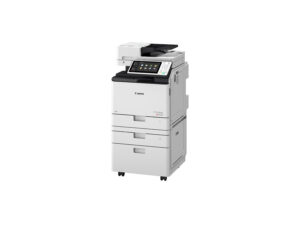
Colour photocopier or black and white? The right answer depends on what your office actually prints. A colour photocopier can make proposals, brochures and presentations look sharp, but it is not always the right choice, because some offices print mostly contracts and reports.
This guide compares a colour photocopier with a black and white photocopier, so you can pick the right one for your UAE office. We also cover seven costly mistakes to avoid.
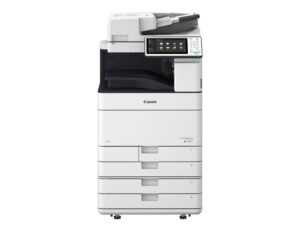
Table of contents
- Colour photocopier or black and white: the basic difference
- When a colour photocopier makes sense
- When black and white is enough
- How much colour do you need?
- 7 costly mistakes to avoid
- The smart middle path
- Examples from the Alpha Care IT range
- Quick decision guide
- FAQs
Colour Photocopier or Black and White: The Basic Difference
A black and white photocopier prints and copies in shades of grey. A colour photocopier does that and also reproduces full colour.
Most modern colour machines are multifunction devices. They print, copy and scan in one unit, and many handle A3 as well as A4. Black and white machines are often simpler and focus on everyday document work.
When a Colour Photocopier Makes Sense
Choose a colour photocopier when colour helps you win work or explain ideas. Common cases include:
- Sales teams printing proposals and brochures.
- Schools printing posters, worksheets and notices.
- Design, marketing and trading firms sharing samples.
- Offices that print charts and reports for clients.
An A3 colour multifunction machine also helps when you need larger sheets for drawings or wide spreadsheets.
When Black and White Is Enough
If your office prints mostly invoices, contracts and internal documents, black and white is often enough. You avoid paying for features you rarely use.
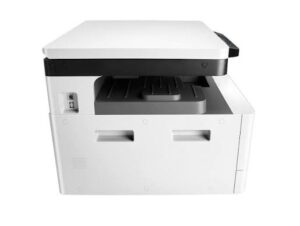
For example, the HP LaserJet MFP M442dn is an A3 monochrome multifunction printer. It prints 24 ppm in A4 and 13 ppm in A3, with auto duplex and USB and Ethernet connectivity. It suits reports, invoices and larger-format documents.
How Much Colour Do You Need?
Before you compare models, estimate your colour share. Look at a typical month and ask three simple questions.
- How many pages do we print in total?
- How many of those pages truly need colour?
- Which pages are shown to clients, parents or partners?
If colour pages are a small share and mostly internal, a black and white machine may be enough. If clients see your printouts every week, a colour photocopier is a sound investment. Many offices land in the middle, which is why a flexible machine with sensible defaults is so popular.
Also think about the future. A growing school, clinic or trading firm often needs more colour over time, and changing machines later costs more than choosing well today.
7 Costly Mistakes When Choosing a Colour Photocopier
Most buyers lose money in a handful of predictable ways. Watch out for these.
Mistake 1: Buying colour you will never use
If 95 per cent of your pages are black and white, a colour photocopier may add cost without adding value. Check your real needs first.
Mistake 2: Ignoring colour printing cost
Colour pages usually cost more to run than black and white pages. Ask about toner and servicing before you decide, and set black and white as the default.
Mistake 3: Choosing the wrong speed
A machine that is too slow frustrates staff. One that is too fast costs more than needed. Match speed to daily volume.
Mistake 4: Forgetting paper size
If you need A3, say so early. An A4-only model will limit you later.
Mistake 5: Skipping the support question
Ask who installs, services and supplies toner. A great machine with poor support quickly becomes a headache.
Mistake 6: Overlooking refurbished options
A refurbished colour photocopier can lower your upfront spend. Ask about condition, inspection and warranty so you buy with confidence.
Mistake 7: Not planning for growth
Choose a machine that fits where your team will be in a few years, not only today.
The Smart Middle Path
You do not have to choose one world forever. Many offices buy a colour photocopier and set black and white as the default for everyday work. Staff switch to colour only when it matters.
This keeps colour available for important jobs while controlling running costs. If you want more tips, read our guide on how to reduce printing costs.
Examples from the Alpha Care IT Range
Here are a few machines we supply, so you can see how options differ:
- Canon imageRUNNER ADVANCE C3525i: A3 colour, up to 25 ppm in A4.
- Canon imageRUNNER ADVANCE C5535i: A3 colour, up to 35 ppm in A4.
- Canon imageRUNNER ADVANCE C5240: colour, up to 40 ppm in A4.
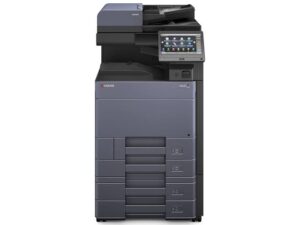
- Kyocera TASKalfa 2553ci: A3 colour multifunction, for print, copy and scan.
You can learn how these technologies work in this overview of laser printing and the history of the photocopier.
Quick Decision Guide
| Your main work | Better fit |
|---|---|
| Contracts, invoices, reports | Black and white |
| Proposals, brochures, posters | Colour |
| Mixed work with tight budget | Colour with black and white default |
| Larger sheets and drawings | A3 model, colour or mono |
FAQs
Is a colour photocopier much more expensive to run? Colour pages usually cost more than black and white pages, so set black and white as the default for everyday jobs.
Can I rent a colour photocopier? Yes. Alpha Care IT offers sale, purchase and rental, so you can pick what suits your budget.
What is the difference between A3 and A4 machines? A3 machines handle larger sheets such as drawings and wide spreadsheets. A4 machines suit everyday letters and forms.
Should I buy a refurbished colour photocopier? It can lower your upfront spend. Ask about condition, support and installation before you decide.
Find the Right Colour Photocopier with Alpha Care IT
Tell us what your team prints each month and we will recommend a suitable model, whether colour or black and white, along with installation and support options.
- WhatsApp: +971 55 757 2423
- Website: www.alphacareit.com
- Email: info@alphacareit.com