Printer vs photocopier is a question many Dubai offices ask before spending money. Both machines put ink or toner on paper, so they can look similar. In daily use, though, they work very differently, and choosing the wrong one costs time and budget.
This guide explains the printer vs photocopier choice through seven key differences. By the end, you will know which one suits your team.
Table of contents
- Printer vs photocopier: the basic idea
- Difference 1: What each machine does
- Difference 2: Volume and workload
- Difference 3: Paper size
- Difference 4: Speed
- Difference 5: Running cost
- Difference 6: Support and servicing
- Difference 7: Space and setup
- Which one should you choose
- Common mistakes
- Quick checklist
- FAQs
Printer vs Photocopier: The Basic Idea
A printer takes a file from a computer or phone and prints it. A photocopier copies a paper original, and most modern ones also print and scan.
Today the line is blurry. A multifunction photocopier prints, copies and scans in one unit, while a laser printer for office use may also copy and scan. The real difference is how much work each is built to handle.
Difference 1: What Each Machine Does
A basic printer prints. A photocopier is built around copying, but its modern form is a multifunction device.
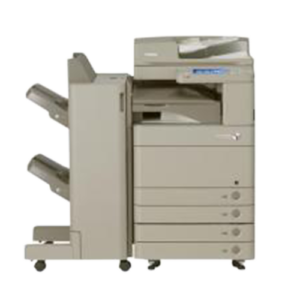
For example, the Canon imageRUNNER ADVANCE C5535i prints, copies and scans. Our guide on choosing the right photocopier explains how to pick a model.
Difference 2: Volume and Workload
In the printer vs photocopier debate, volume matters most. Small printers suit a few people printing a modest number of pages. Photocopiers are usually built for heavier, shared use in busy offices, schools and clinics.
If many people print every day, a photocopier is often the safer choice.
Difference 3: Paper Size
Many compact printers handle A4 only. Many photocopiers handle A3 as well, so you can print posters, drawings and wide spreadsheets.
The Canon imageRUNNER C256 is a compact A3 colour multifunction machine. If you may need A3 later, plan for it now.
Difference 4: Speed
Speed is measured in pages per minute (ppm). A small printer may feel fast for one user but slow for a team.
The Canon C5535i prints up to 35 ppm in A4, and the Kyocera TASKalfa 4053ci up to 40 ppm. Matching speed to your team avoids queues.
Difference 5: Running Cost
The printer vs photocopier cost question has two parts: the price of the machine and the cost of each page. A cheap printer can cost more per page over time.
Ask about toner, parts and servicing before you decide. Our tips on how to reduce printing costs can help.
Difference 6: Support and Servicing
Photocopiers usually come with installation, technical support and a supply of toner and spare parts. That matters when many people depend on one machine.
Alpha Care IT provides installation across the UAE, technical support, and toner and spare parts. Learn how regular photocopier maintenance improves office productivity.
Difference 7: Space and Setup
A desktop printer fits on a desk. A floor-standing photocopier needs a spot with space around it, and a proper setup.
The HP Color LaserJet Pro MFP M477 has a compact footprint, so it sits between the two. You can read a simple overview of how these machines work in this guide to the photocopier.
Which One Should You Choose?
Use this simple guide for your printer vs photocopier decision.
| Your office | Better fit |
|---|---|
| 1 to 5 people, light printing, A4 only | Compact printer or small multifunction |
| 5 to 20 people, shared use, copying and scanning | Multifunction photocopier |
| Posters, drawings or exam papers | A3 photocopier |
| Busy school or clinic front desk | Photocopier with duplex and scan to email |
These ranges are a starting point only. Tell us what your team prints and we will confirm the right size.
Common Mistakes
Avoid these errors when comparing printer vs photocopier options.
- Buying the cheapest printer and ignoring page cost.
- Forgetting A3 until you need it.
- Skipping support and toner planning.
- Choosing a machine that is too slow for the team.
If you are still unsure, ask about rental. Our post on photocopier rental vs buying explains the trade-offs.
Quick Checklist
- Count how many people share the machine.
- Estimate your monthly pages.
- Decide if A3 is needed.
- Check speed and duplex.
- Confirm installation and support.
- Compare buy, rental and refurbished.
For official business guidance in the UAE, visit the UAE government portal.
FAQs
What is the main difference in printer vs photocopier? A printer prints files, while a photocopier copies paper and is usually built for heavier shared use.
Can a photocopier also print? Yes, modern multifunction photocopiers print, copy and scan.
Is a photocopier machine more expensive? The machine often costs more, but cost per page and support can make it better value for busy teams.
Can I rent a photocopier in Dubai? Yes. Alpha Care IT offers sale, purchase and rental.
Settle Printer vs Photocopier with Alpha Care IT
Tell us your team size and monthly pages, and we will recommend the right machine with installation and support.
- WhatsApp: +971 55 757 2423
- Website: www.alphacareit.com
- Email: info@alphacareit.com