
7 Powerful Benefits of Multifunction Printers for Modern Offices
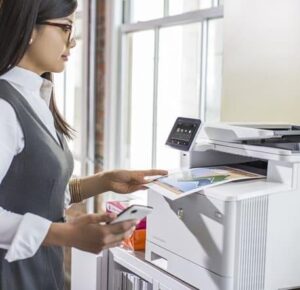
Modern businesses need office equipment that can keep up with their daily workload. Printing, copying, scanning, and sharing documents are still essential activities in many workplaces. Instead of using separate machines for each task, businesses can choose a multifunction printer that combines several functions in one device.
A multifunction printer can help offices save space, simplify document workflows, and improve employee productivity. For businesses looking for a multifunction printer UAE solution, it is important to consider factors such as printing volume, document types, speed, connectivity, security, and long-term operating costs before selecting a machine.
Whether you manage a small office, a growing company, or a large organisation, the right multifunction equipment can become an important part of your daily workflow. In this article, we explore seven powerful benefits, and the key factors businesses should consider before choosing a multifunction printer.
1. Multiple Functions in One Machine
The biggest advantage of a multifunction printer is that it combines several office functions into a single device.
Depending on the model, a multifunction printer can provide:
- Printing
- Copying
- Scanning
- Document sharing
- Duplex printing
- Mobile printing
Instead of purchasing separate machines for printing, scanning, and copying, businesses can use one integrated device.
This can make everyday document tasks more convenient and reduce the amount of equipment required in the office.
For companies considering an office multifunction printer, choosing a model with the right combination of functions can help improve workflow efficiency.
2. Save Valuable Office Space
Office space is an important consideration, particularly for businesses operating in busy commercial areas.
Using multiple individual devices can take up significant space. A multifunction printer combines several functions into one unit, allowing businesses to make better use of their available workspace.
A single multifunction printer can replace separate:
- Printers
- Copiers
- Scanners
- Other document devices
This can create a cleaner and more organised office environment.
For smaller offices, space-saving equipment can be particularly useful because employees can access multiple document functions without requiring several machines.
3. Improve Employee Productivity
Employees often need to print, scan, copy, and share documents throughout the day.
Having these functions available from one machine can make document-related tasks faster and more convenient.
For example, an employee may need to:
- Scan a signed document.
- Save it digitally.
- Email the scanned file.
- Print another copy for company records.
A multifunction printer can support these tasks from one central location.
This can help employees spend less time moving between different devices and more time focusing on their primary responsibilities.
4. Support Digital Document Workflows
Although businesses still rely on printed documents, many organisations are increasingly using digital workflows.
Scanning is particularly useful when businesses want to convert physical documents into digital files.
A multifunction printer can help businesses:
- Scan invoices
- Digitise contracts
- Archive documents
- Send files electronically
- Create digital records
This makes a multifunction printer useful for businesses that are gradually reducing unnecessary paperwork.
An office multifunction printer with suitable scanning and connectivity features can support both traditional printing and modern digital document management.
5. Reduce Equipment and Operating Complexity
Managing several different devices can make office administration more complicated.
Each machine may require:
- Separate maintenance
- Different consumables
- Different technical support
- Different replacement parts
Using a multifunction printer can simplify equipment management.
Instead of managing several devices, businesses can focus on maintaining one primary document system.
However, businesses should still evaluate the machine’s total cost of ownership, including toner, maintenance, electricity, and service requirements.
The cheapest machine is not always the most economical option in the long term.
6. Modern Connectivity Options
Today’s multifunction printers offer more connectivity options than traditional office copiers.
Depending on the model, users may be able to print or scan using:
- Wi-Fi
- Ethernet
- Mobile devices
- USB
- Cloud services
- Network computers
These features can be particularly useful in modern offices where employees work across multiple devices.
Businesses should consider how their employees currently work before selecting a machine.
For example, an organisation with hybrid employees may benefit from equipment that supports mobile and network-based document workflows.
7. Improve Document Security
Businesses handle confidential information every day.
Documents may include:
- Customer information
- Financial records
- Contracts
- Employee information
- Business proposals
- Internal reports
Modern multifunction printers may provide security features such as:
- PIN-based printing
- User authentication
- Secure print release
- Access controls
- Network security
- Data protection features
Businesses should consider security requirements when selecting a business multifunction printer.
Companies that regularly handle confidential information should also establish clear printing and document-handling policies.
What Should You Consider Before Buying a Multifunction Printer?
Choosing the right machine requires more than comparing prices.
Consider the following factors.
Printing Volume
Estimate how many pages your office prints each month.
Printing Speed
High-volume offices may require faster equipment to prevent delays.
Colour or Black-and-White
Determine whether your business needs regular colour printing or mainly black-and-white documents.
Paper Size
Consider whether you require A4, A3, or multiple paper sizes.
Scanning Requirements
If your office frequently digitises documents, look for suitable scanning features.
Connectivity
Check whether the machine supports your office network and preferred devices.
Security
Businesses handling confidential documents should consider appropriate security features.
Maintenance
Ask about service support, spare parts, toner availability, and maintenance requirements.
New or Refurbished Multifunction Printer?
Businesses do not always have to choose brand-new equipment.
Depending on budget and requirements, companies can consider both new and professionally refurbished machines.
A new multifunction printer may be suitable for businesses looking for the latest features and technology.
A professionally refurbished machine may provide another option for organisations looking for reliable business equipment while managing their initial investment.
Before choosing refurbished equipment, businesses should evaluate:
- Machine condition
- Expected print volume
- Service history
- Warranty or support
- Toner availability
- Maintenance options
The right choice depends on the business’s individual requirements rather than simply choosing the newest model.
Multifunction Printer vs Separate Office Machines
A common question business ask is whether they should purchase one multifunction printer or several individual devices.
Multifunction Printer
Advantages:
- Multiple functions in one machine
- Less office space required
- Centralised maintenance
- Easier document workflow
- Fewer devices to manage
Separate Devices
Advantages:
- Individual machines can be specialised
- A breakdown may not affect every function
- Different departments can have dedicated equipment
For many small and medium-sized businesses, a multifunction printer provides a convenient balance between functionality, space, and cost.
Larger organisations may require a combination of multifunction devices and specialised printers based on their workflow.
Why Choose Alpha Care IT?
Alpha Care IT provides office printing and document solutions designed for businesses with different requirements.
Our solutions include:
- New printers
- Refurbished printers
- Multifunction photocopiers
- A3 and A4 equipment
- Printer rental
- Maintenance and technical support
Whether you need a compact machine for a small office or a high-volume multifunction photocopier Dubai business can use, selecting equipment based on your actual workload is important.
Alpha Care IT can help businesses evaluate factors such as printing volume, document requirements, budget, and office workflow before selecting suitable equipment.
Final Thoughts
A multifunction printer can provide businesses with a practical way to combine printing, copying, scanning, and document management in one device.
By reducing the need for multiple machines, businesses can save office space, simplify equipment management, and improve everyday productivity.
However, choosing the right machine requires careful consideration. Businesses should evaluate printing volume, speed, paper size, connectivity, security, scanning requirements, maintenance, and long-term operating costs.
Whether you choose a new machine or a professionally refurbished option, the most important factor is selecting equipment that matches your actual business needs.
For businesses looking for a multifunction printer UAE solution, working with an experienced office technology supplier can make the selection process easier and help ensure that your investment supports your business for the long term.