
How Regular Photocopier Maintenance Can Improve Office Productivity
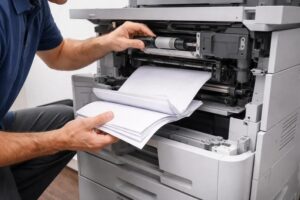
A photocopier is an important part of daily operations for many businesses. From printing invoices and contracts to scanning reports and copying important documents, office printing equipment supports a wide range of tasks. However, when a machine is not properly maintained, small problems can quickly turn into major interruptions. Regular photocopier maintenance can help businesses keep their equipment running efficiently, reduce unexpected downtime, and support a smoother office workflow.
Businesses in Dubai often depend on printers and photocopiers for high-volume document processing. Whether you operate a small office or a large corporate organisation, maintaining your equipment should be part of your regular office management routine. Professional photocopier maintenance Dubai services can help identify potential problems before they affect daily operations.
In this guide, we will explore why regular maintenance is important, common signs that your machine needs attention, and how businesses can keep their office printing equipment working efficiently.
Why Is Photocopier Maintenance Important?
Modern photocopiers are complex machines with many moving parts and electronic components. Over time, regular use can cause dust accumulation, paper residue, toner buildup, and component wear.
Without proper maintenance, businesses may experience:
- Frequent paper jams
- Poor print quality
- Slow printing
- Scanning problems
- Toner-related issues
- Unexpected breakdowns
- Increased operating costs
Regular photocopier maintenance can help reduce the risk of these problems and keep the machine operating more consistently.
For businesses that depend on daily printing, preventing unexpected breakdowns can be much more convenient than waiting until the machine stops working completely.
1. Clean the Photocopier Regularly
Dust and paper particles can accumulate inside and around a photocopier.
Over time, this buildup can affect:
- Paper feeding
- Print quality
- Scanning performance
- Internal components
Regular cleaning can help maintain the machine’s overall condition.
However, internal components should be cleaned carefully and according to the manufacturer’s recommendations. Employees should avoid attempting complicated repairs or opening sensitive components without proper knowledge.
Professional printer maintenance services UAE businesses rely on can help ensure that equipment is cleaned and serviced correctly.
2. Check for Paper Jams
Paper jams are one of the most common problems with office photocopiers.
Frequent paper jams can be caused by:
- Incorrect paper size
- Poor-quality paper
- Incorrect paper loading
- Worn rollers
- Dust inside the paper path
- Damaged paper
If your machine experiences frequent jams, do not simply remove the paper and continue using it without investigating the cause.
Repeated paper jams may indicate that the machine requires professional attention.
Regular office printer maintenance can help identify worn components and reduce recurring paper-feeding problems.
3. Use the Correct Paper
Using the correct type and size of paper is important for maintaining good printer performance.
Businesses should ensure that the paper used is suitable for the machine.
Factors to consider include:
- Paper size
- Paper thickness
- Paper quality
- Storage conditions
- Moisture levels
Paper should also be stored in a clean and dry environment.
Using unsuitable or damaged paper can increase the likelihood of paper jams and affect print quality.
4. Monitor Print Quality
Changes in print quality can be an early warning sign that a photocopier requires maintenance.
Common problems include:
- Faded printing
- Lines on documents
- Uneven toner distribution
- Spots or marks
- Blurry text
- Poor colour reproduction
If print quality suddenly changes, check the toner level and printer settings first.
If the problem continues, the machine may require professional inspection.
A reliable photocopier repair Dubai service can diagnose the problem and determine whether a component needs cleaning, servicing, or replacement.
5. Replace Toner on Time
Toner is an essential consumable for laser printers and photocopiers.
When toner levels become low, users may notice:
- Faded documents
- Uneven printing
- Poor image quality
Businesses should monitor toner levels and keep suitable replacement cartridges available.
However, toner should not always be replaced before it is necessary. Following the manufacturer’s recommendations can help businesses manage consumable costs effectively.
A professional service provider can also advise businesses on suitable toner options for their specific equipment.
6. Pay Attention to Unusual Sounds
Unusual noises can sometimes indicate mechanical problems.
If your photocopier starts making:
- Grinding sounds
- Clicking noises
- Repeated squeaking
- Unusual buzzing
it may be worth having the equipment inspected.
Ignoring unusual sounds can sometimes lead to more serious problems.
Early professional inspection may help identify worn or damaged components before they cause a complete breakdown.
7. Keep the Machine in the Right Location
The location of your photocopier can affect its performance.
Avoid placing the machine in areas exposed to:
- Excessive dust
- Direct sunlight
- High humidity
- Extreme temperature changes
- Heavy foot traffic
The machine should be placed on a stable surface with sufficient ventilation.
Businesses should also ensure that there is enough space around the equipment for maintenance and servicing.
A suitable environment can help support reliable office printer maintenance and extend the useful life of the equipment.
8. Schedule Professional Maintenance
Regular professional servicing can help identify potential problems before they become serious.
During a maintenance visit, a technician may inspect:
- Paper feed systems
- Rollers
- Toner systems
- Print quality
- Scanning components
- Internal mechanisms
- General machine condition
The exact maintenance process depends on the machine’s model and usage.
Businesses with high printing volumes may require more frequent servicing than offices with occasional printing requirements.
A professional maintenance schedule should be based on the manufacturer’s recommendations and the machine’s actual workload.
9. Train Employees to Use the Machine Correctly
Many photocopier problems can be prevented through proper usage.
Employees should know how to:
- Load paper correctly
- Select the correct paper size
- Remove paper jams safely
- Replace toner when appropriate
- Use scanning features
- Follow basic operating instructions
Businesses should also discourage employees from forcing paper out of the machine or opening components unnecessarily.
Simple user training can help reduce accidental damage and improve equipment reliability.
10. Keep Maintenance Records
Maintaining a service history can help businesses understand their equipment better.
Keep records of:
- Maintenance dates
- Repairs
- Parts replaced
- Toner replacements
- Recurring problems
- Service visits
These records can help identify patterns.
For example, if the same problem occurs repeatedly, it may indicate that the machine requires a major repair or replacement.
Maintenance records can also help businesses plan future equipment investments.
When Should You Repair or Replace a Photocopier?
Regular maintenance can extend the life of office equipment, but there may eventually come a time when replacement becomes more practical.
Consider replacing your machine if:
- Repairs are becoming frequent.
- Replacement parts are difficult to find.
- Printing quality remains poor.
- Operating costs are increasing.
- The machine no longer meets your workload.
- Newer technology would significantly improve productivity.
A professional service provider can help you evaluate whether repairing the existing machine or investing in new or refurbished equipment would be more suitable.
Benefits of Professional Printer Maintenance Services
Professional printer maintenance services UAE businesses use can provide several advantages.
Reduced Downtime
Regular servicing can help identify potential problems before they cause major interruptions.
Better Print Quality
Cleaning and servicing can help maintain consistent print quality.
Longer Equipment Life
Proper maintenance may help extend the useful life of your printer or photocopier.
Improved Productivity
Reliable equipment allows employees to complete document-related tasks without unnecessary delays.
Better Cost Management
Preventive maintenance may help reduce the need for unexpected emergency repairs.
How Alpha Care IT Can Help
At Alpha Care IT, we understand how important, reliable printing equipment is for modern businesses.
Whether your office uses a multifunction photocopier, A3 printer, A4 printer, or professional business printer, regular servicing can help maintain efficient operation.
Our printing solutions and support can help businesses with:
- Printer maintenance
- Photocopier maintenance
- Technical support
- Printer and photocopier sales
- New equipment
- Refurbished equipment
- Printer rental solutions
If you are experiencing repeated paper jams, poor print quality, slow performance, or other equipment problems, professional support can help identify the cause.
Businesses looking for photocopier maintenance Dubai solutions can evaluate their equipment and establish a maintenance routine based on their printing requirements.
Final Thoughts
Regular maintenance is an important part of managing office printing equipment. A well-maintained photocopier can help businesses reduce unexpected interruptions, maintain consistent print quality, and support employee productivity.
Simple habits such as using the correct paper, keeping the equipment clean, monitoring toner levels, and training employees can make a difference. Professional servicing can provide additional support by identifying potential problems and maintaining important components.
Businesses should also monitor the overall performance and operating costs of their equipment. If repairs become too frequent or the machine no longer meets business requirements, it may be time to consider upgrading to a new or professionally refurbished machine.
By investing in proper office printer maintenance and choosing reliable technical support, businesses can create a more efficient and dependable printing environment.
For companies searching for photocopier repair Dubai or printer maintenance services UAE, choosing an experienced service provider can help ensure that office printing equipment receives the right attention when it is needed.